Skoot App Training Guide
Customer and rider training documentation for the live Skoot gas delivery workflow, with a cleaner docs layout and branded landing banner.
Skoot's gas delivery platform is powered by two apps:
- Customer App — order gas, pay, and track delivery
- Rider App (Track Rider) — accept jobs, collect cylinders, and deliver to customers
This guide walks through both apps step by step, with screenshots from the live app.
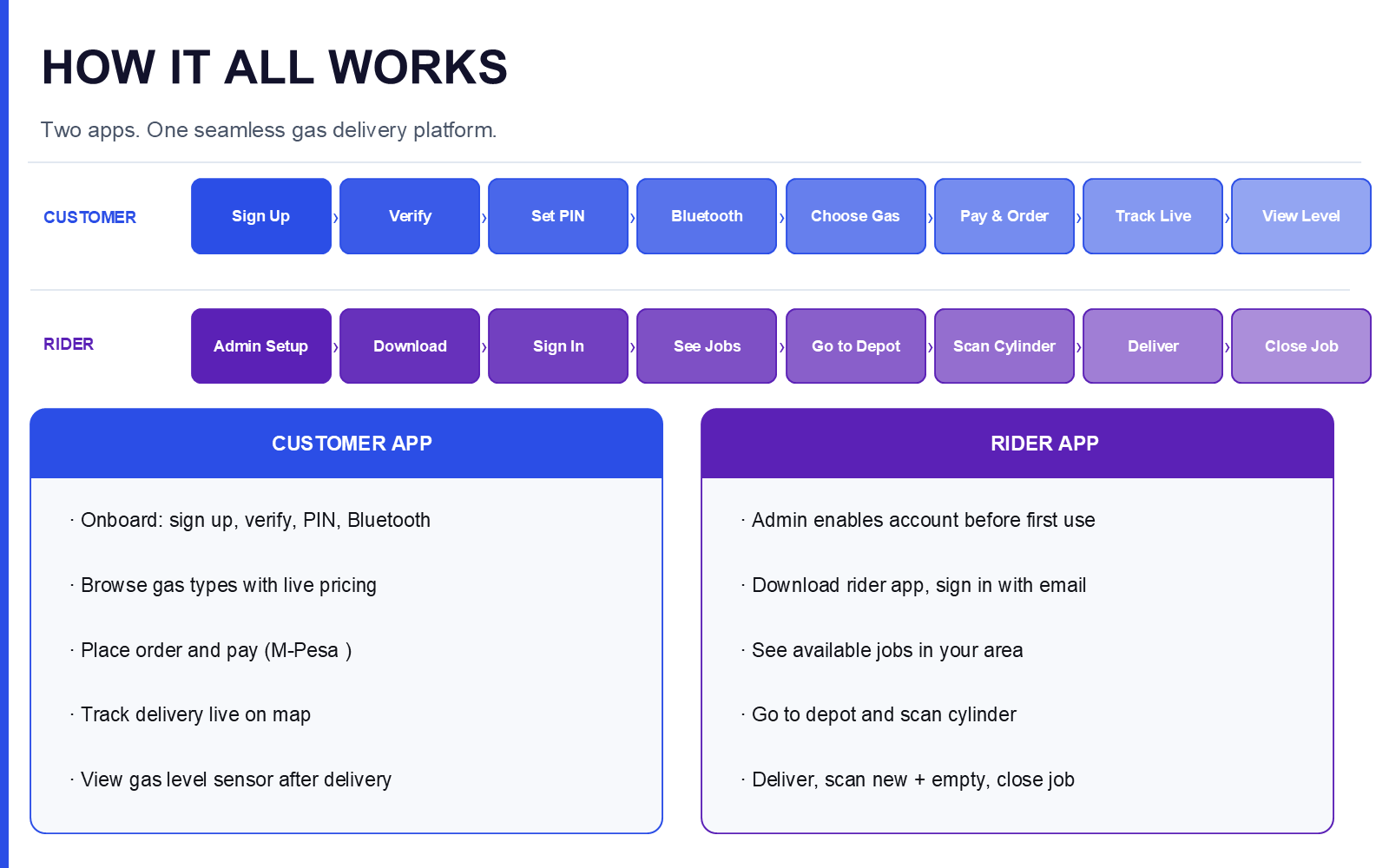
How It All Works
Two apps. One seamless gas delivery platform.
Customer flow
Sign Up → Verify → Set PIN → Bluetooth → Choose Gas → Pay & Order → Track Live → View Level
- Onboard: sign up, verify, PIN, Bluetooth
- Browse gas types with live pricing
- Place order and pay (M-Pesa)
- Track delivery live on map
- View gas level sensor after delivery
Start the Customer App walkthrough →
Rider flow
Admin Setup → Download → Sign In → See Jobs → Go to Depot → Scan Cylinder → Deliver → Close Job
- Admin enables account before first use
- Download rider app, sign in with email
- See available jobs in your area
- Go to depot and scan cylinder
- Deliver, scan new + empty, close job
Start the Rider App walkthrough →