Customer App: Signing In
Existing customer → Order → Track → Monitor
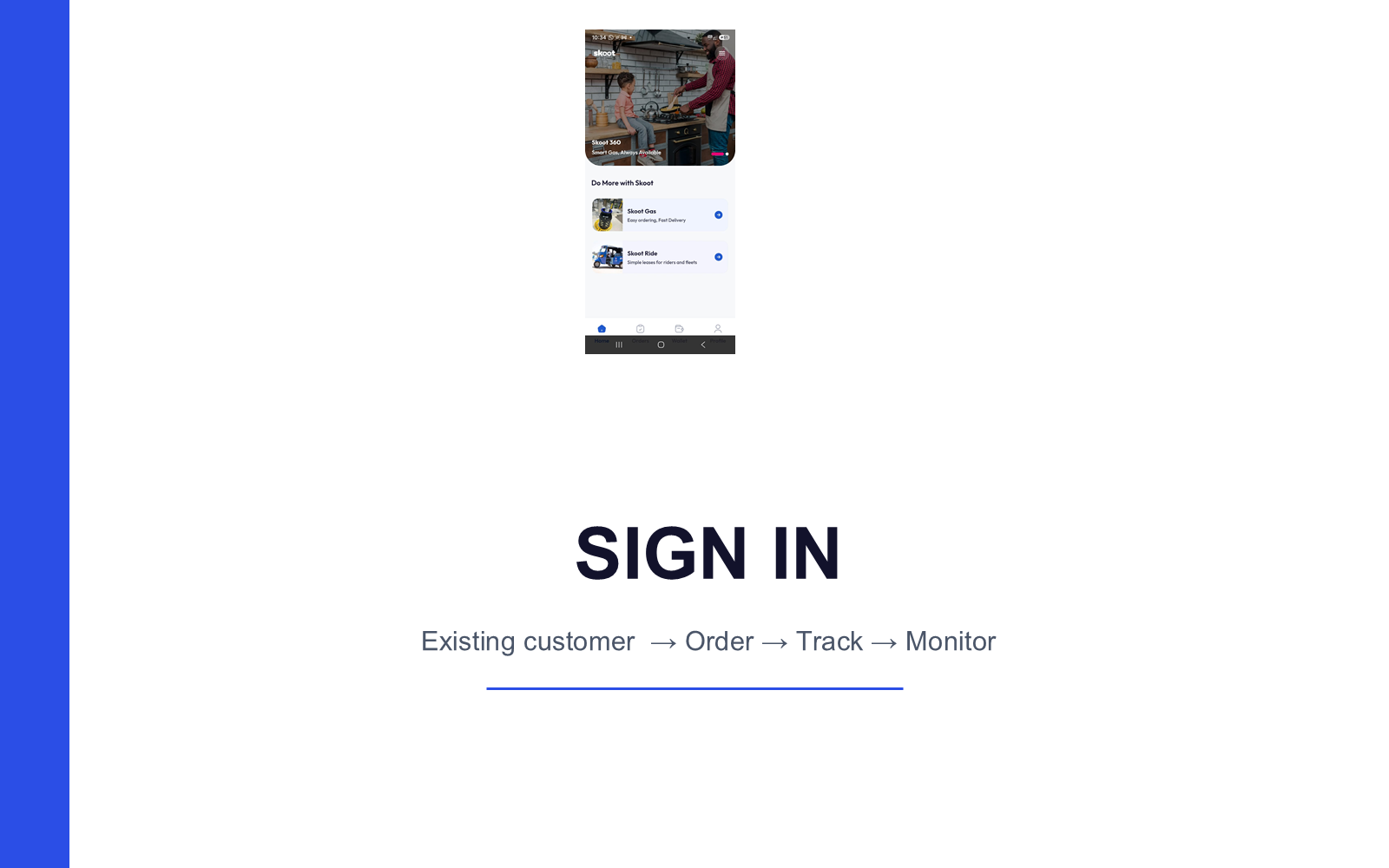
1. Sign In to Your Account
Already have an account? Sign in instead of registering again.
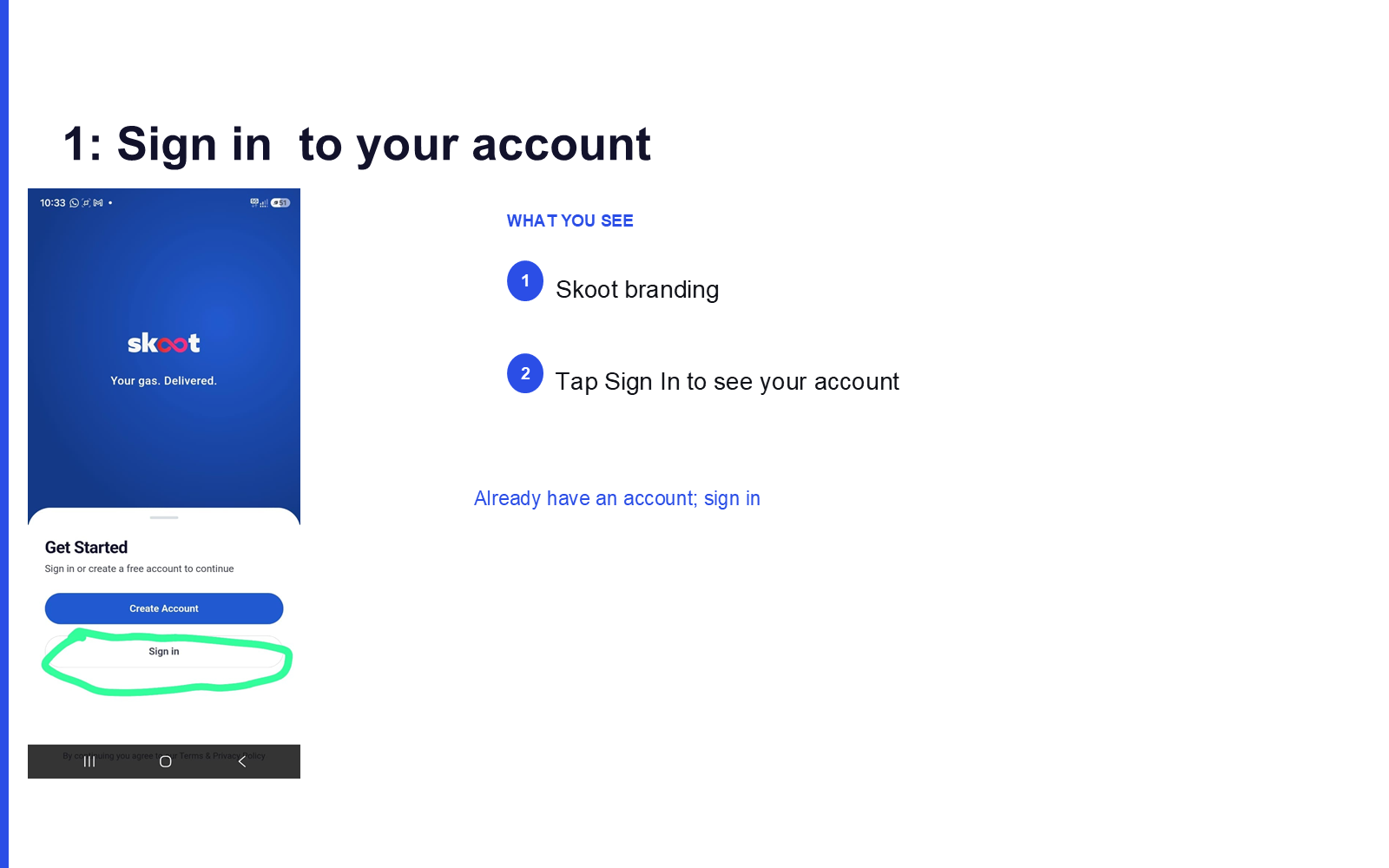
What you see:
- Skoot branding
- Tap Sign In to access your account
2. Mobile Number Confirmation
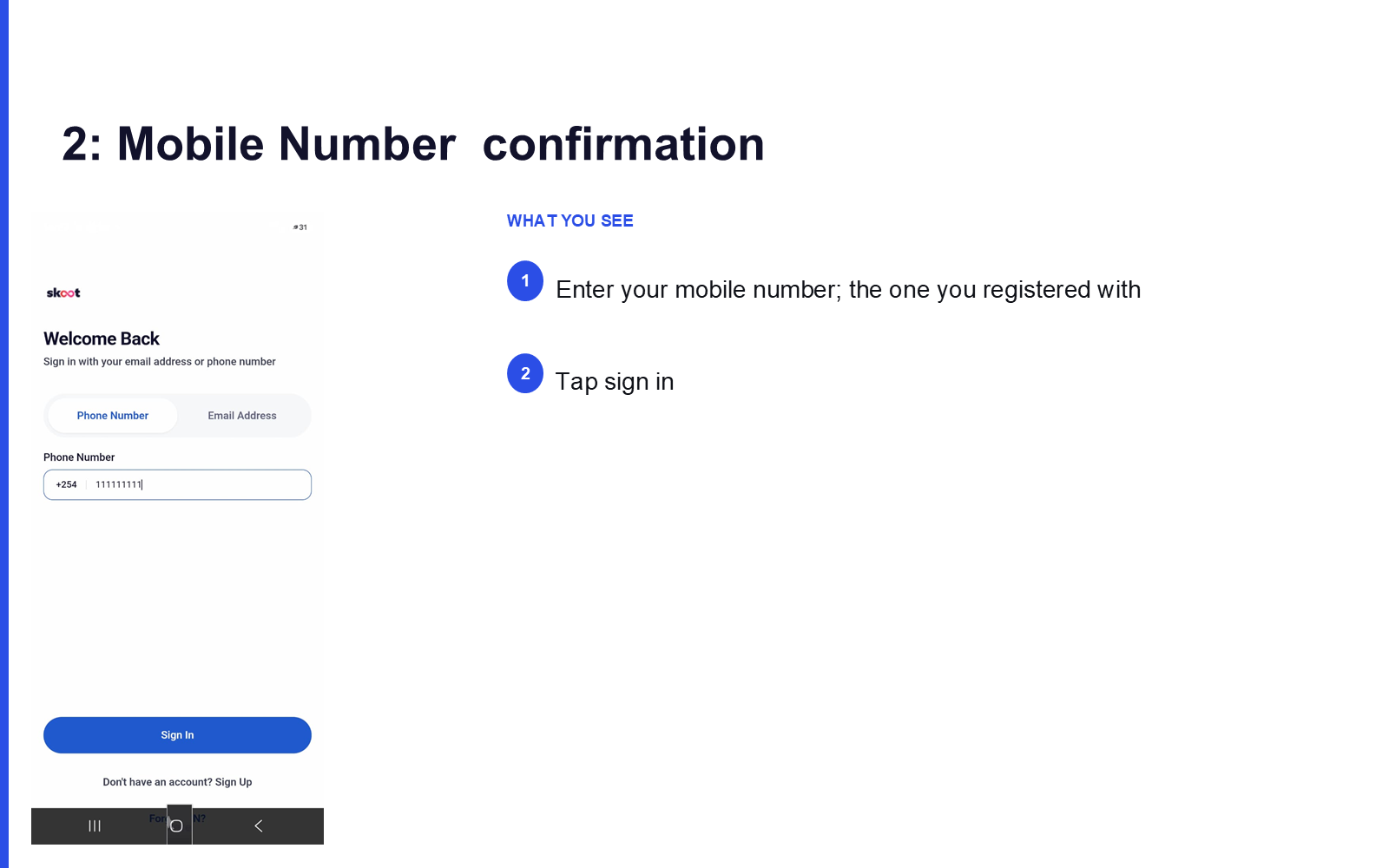
What you see:
- Enter your mobile number — the one you registered with
- Tap Sign In
3. Confirm PIN
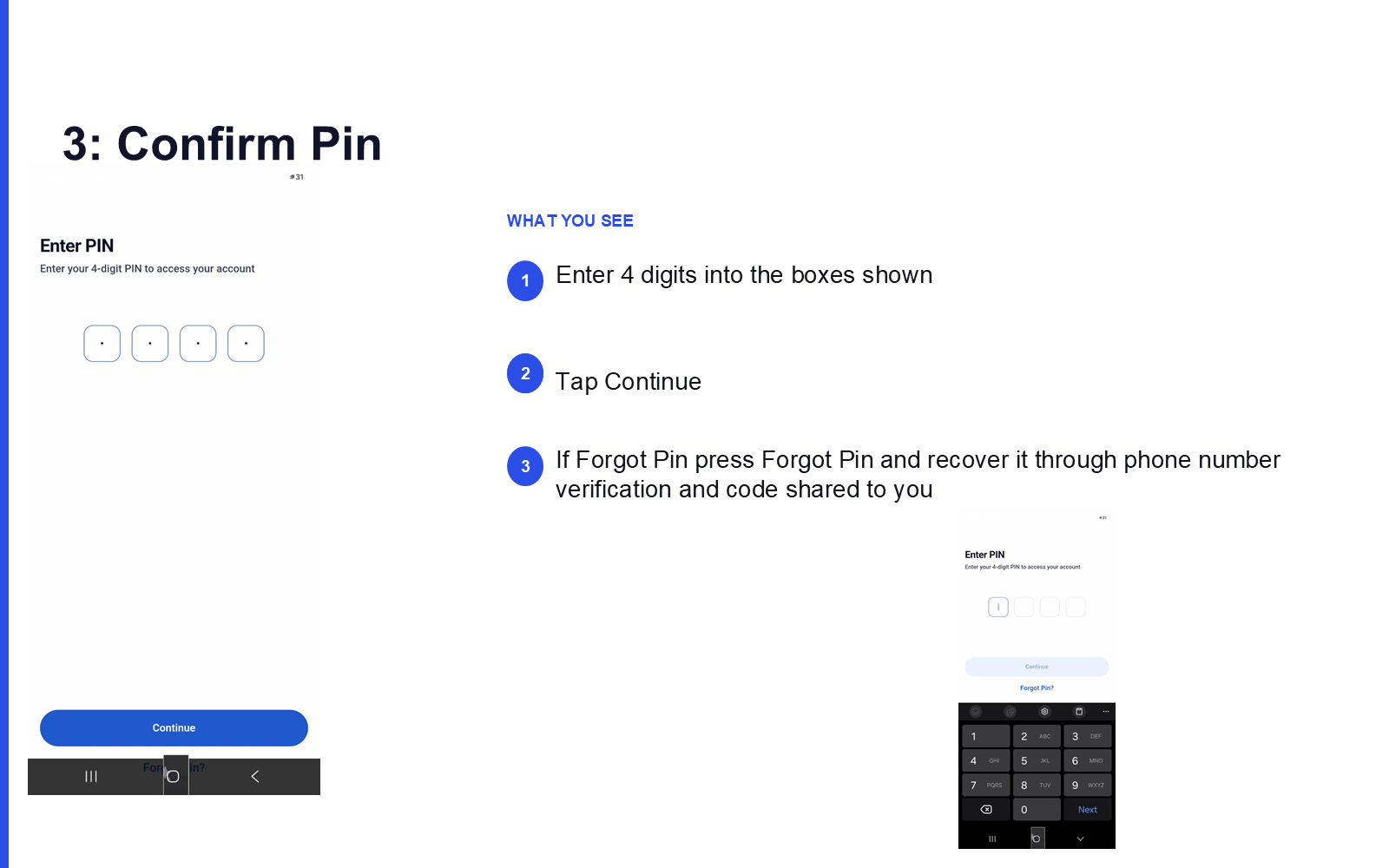
What you see:
- Enter your 4-digit PIN into the boxes shown
- Tap Continue
- Forgotten your PIN? Tap Forgot PIN and recover it via phone number verification and a code sent to you
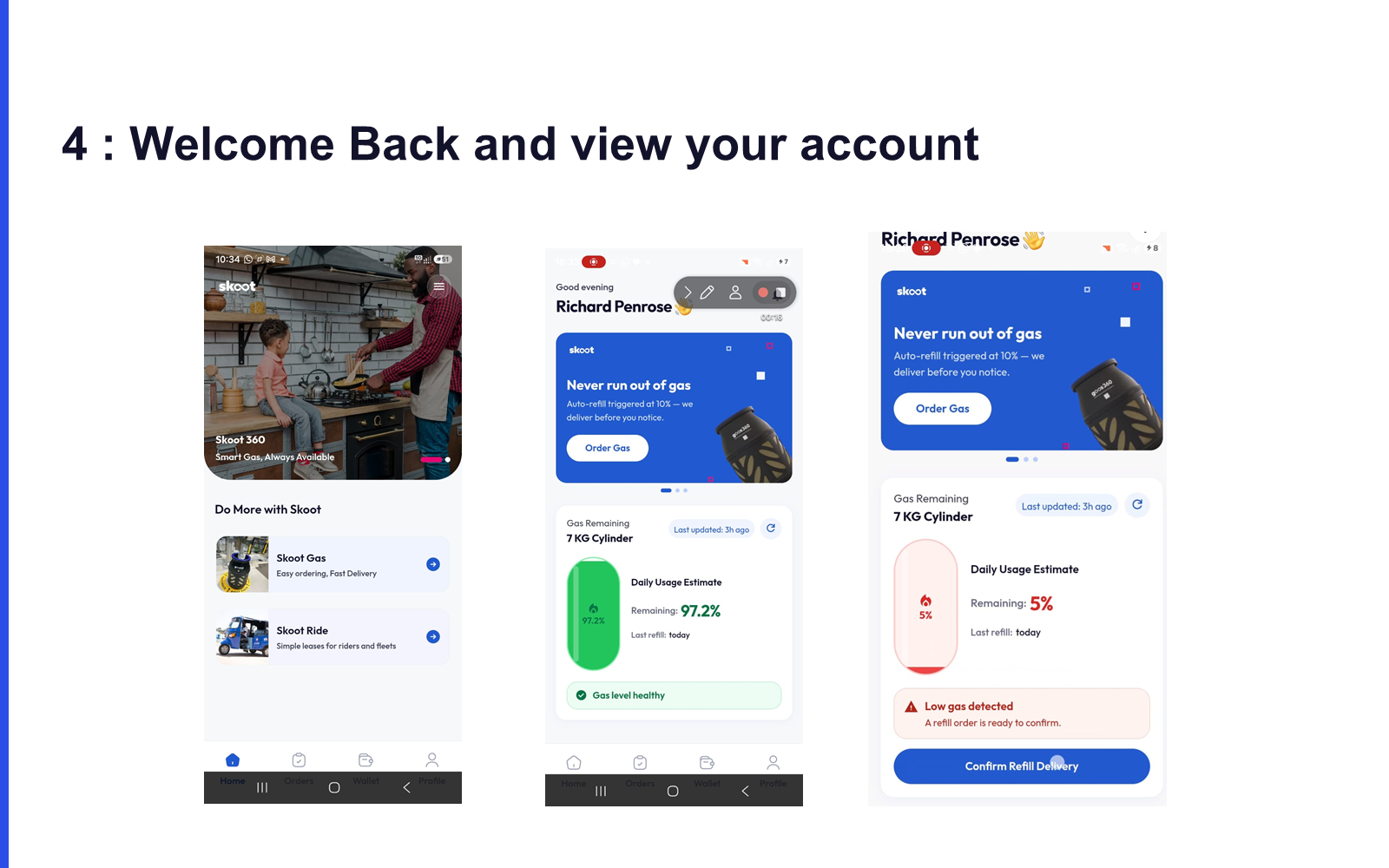
4. Welcome Back
You're signed in and can view your account.
Next: Rider App: Setup →